Test typesShopify
Price tests your checkout actually charges.
Each group of shoppers sees and pays its own price. Results compare revenue and gross profit per visitor, not just conversion.
What happens where
No duplicate products and no theme edits: the price a shopper sees comes from the storefront script, and the price they pay from a Shopify discount function.
Setup
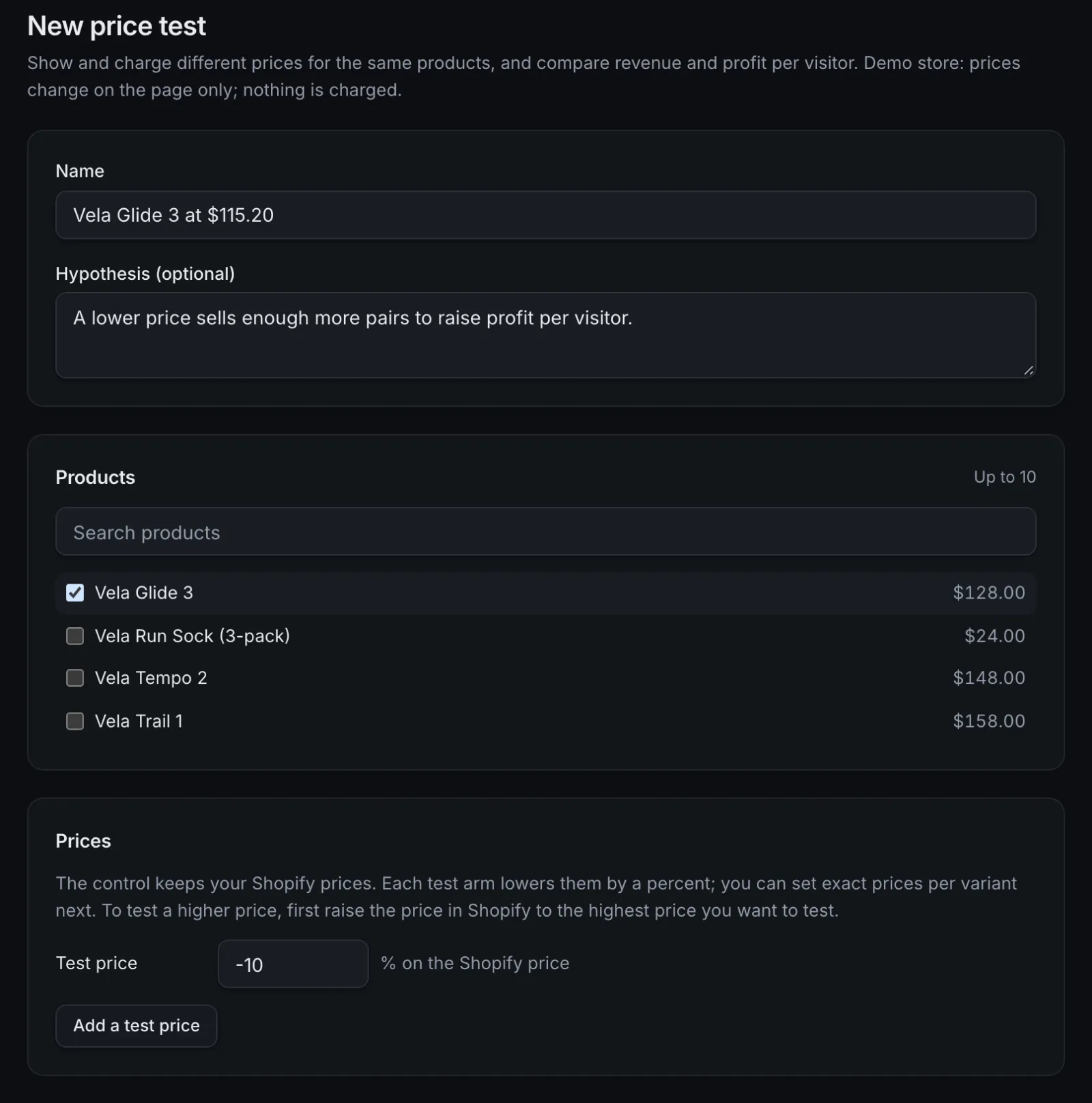
Choose up to 10 products, read with their prices from Shopify. Each test group gets a percent below the Shopify price, or one price per variant. The control keeps your Shopify prices.
Product and collection pages
Shoppers in a test group see their group's price where the theme prints that product's price, applied again when the theme re-renders.
Cart and checkout
A Shopify discount function lowers each tested item to the group's price. Shopify shows the store price struck through and the message you choose ("Store price" by default).
Paid order
Revenue, gross profit, units sold and the average price paid are credited to the shopper's group, with refunds taken off.
| Step | What happens |
|---|---|
| Setup | Choose up to 10 products, read with their prices from Shopify. Each test group gets a percent below the Shopify price, or one price per variant. The control keeps your Shopify prices. |
| Product and collection pages | Shoppers in a test group see their group's price where the theme prints that product's price, applied again when the theme re-renders. |
| Cart and checkout | A Shopify discount function lowers each tested item to the group's price. Shopify shows the store price struck through and the message you choose ("Store price" by default). |
| Paid order | Revenue, gross profit, units sold and the average price paid are credited to the shopper's group, with refunds taken off. |
Judge a price on profit
A lower price can win on conversion and still lose money. Price tests report units sold and the average price paid per group next to revenue and gross profit per visitor, with the same intervals and peeking-safe verdicts as every test.
- Gross profit uses the unit costs saved on each Shopify order, plus your payment fees and shipping costs.
- No profit winner is called while costs are known for less than 90% of order value.
- The method: how results are judged.

Safeguards around the checkout price
Checkout in step
Starting a test turns the checkout price on before pages show it, and the cart and checkout always show what Shopify will charge.
Launch checks
Prices still match Shopify, products are active and have no selling plans, and no product is in two price tests at once.
Pause stops it
Pausing stops the checkout price at once and removes it from storefront pages within about a minute.
Discount watched
If the discount is turned off in Shopify, the tests come off the storefront and owners and admins are told.
Good to know
- One currency: shoppers paying in another currency (Shopify Markets) aren't in the test.
- Test prices are at or below the Shopify price, because a discount can only lower a price. To test a higher price, raise it in Shopify first and set the other groups, the control included, lower.
- Subscriptions keep their prices: products with selling plans can't be tested.
- Savings badges your theme works out ("Save $22") aren't recalculated, and installment widgets use the Shopify price.
- Themes that add to cart without the cart attribute update charge normal prices in cart and checkout.
- Buy it now and accelerated checkout buttons are hidden on tested product pages for shoppers in the test, every group alike, because those checkouts skip the cart.
- Up to 10 products and 100 variants per test.
- Price tests are new: tested end to end on our Shopify development store, not yet run on a live store.
Questions
Do shoppers pay the price they were shown?
Yes. Each shopper in a test group sees that group's price and is charged it at checkout through a Shopify discount. The cart and checkout show the price Shopify will charge before anyone pays.
What do shoppers see at checkout?
The Shopify price struck through, the group's price, and the message you set for the discount ("Store price" by default).
Do I need Shopify Plus?
No. Price tests use a Shopify discount function, which runs on every Shopify plan, and every Benchmyrk plan includes price tests.
Can I test a higher price?
Yes, by raising the price in Shopify to the highest price you want to test and setting the other groups lower. Shoppers outside the test then see and pay the new Shopify price.
Find the price that earns the most.
We'll go through a price test on demo data: setup, what shoppers see and how profit is judged. Or install the Shopify app and set one up.