Test typesShopify
Test a new product template without touching your theme.
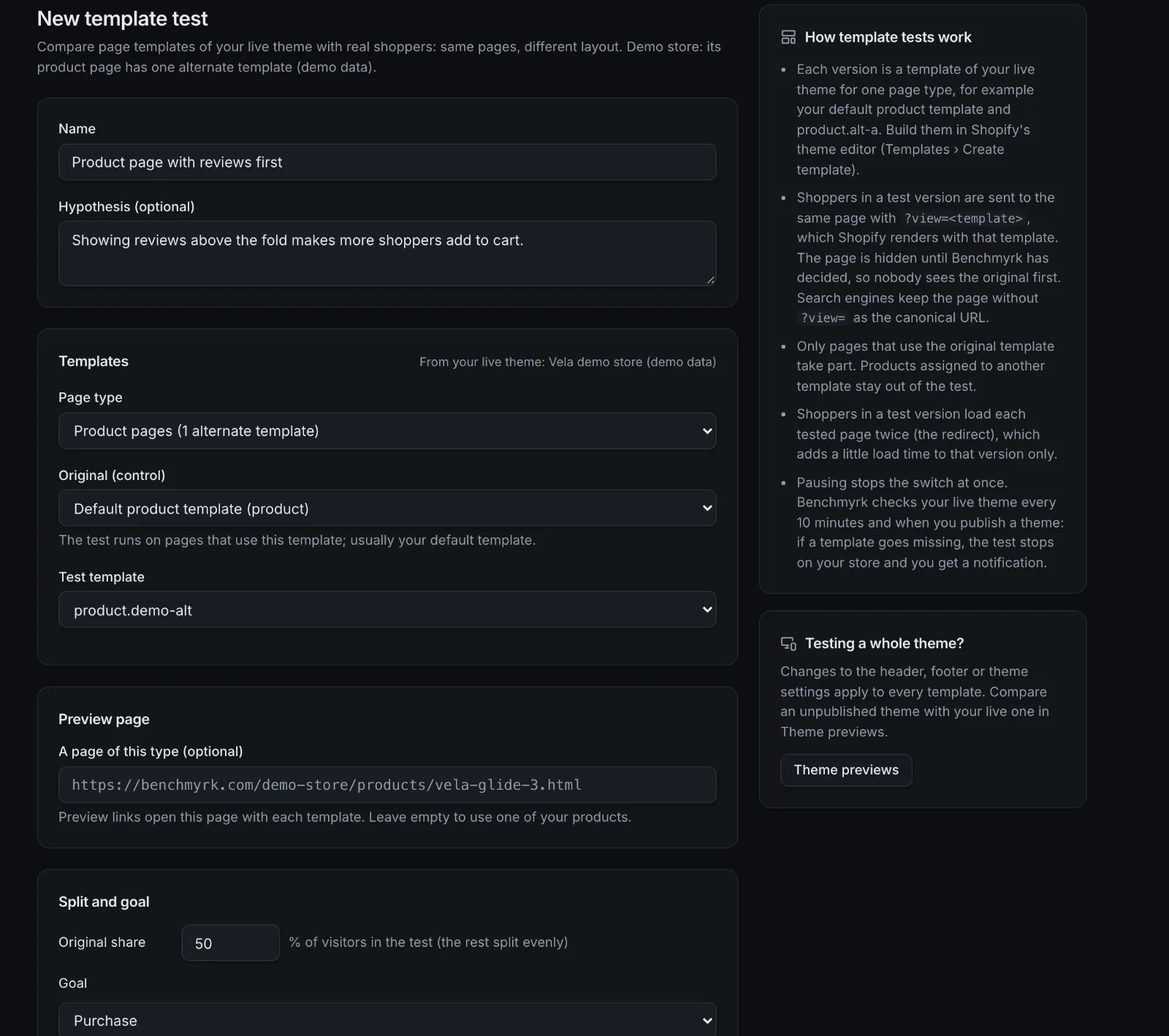
Benchmyrk sends part of your traffic to an alternate Shopify template and measures the difference.
How it works
- 01
Build the template in Shopify
Create an alternate template in Shopify's theme editor (Templates, Create template). Benchmyrk never writes theme files.
- 02
Pick the page type
Choose product, collection or another page type, the original template and the test template from your live theme.
- 03
Shoppers get the same page
Shoppers in the test version get the same URL with Shopify's
?view=parameter, which renders the alternate template. - 04
Measure
The same goals, statistics and verdicts as every test, judged on orders and revenue.
Checked against your live theme
At launch
Each template must exist in your live theme, and only one template test runs per page type.
Every 10 minutes
If a template goes missing, for example after you publish another theme, the test stops on your store and your team is told. It resumes when the template is back.
Preview links
Open any page with each template before launch. Preview visits are never counted.
Whole themes: preview, don't split
Benchmyrk doesn't split shoppers between whole themes. Doing it means sending shoppers to Shopify's theme preview link, which Shopify offers for sharing a preview, not for serving shoppers: they'd see the preview bar, and a shopper who comes back without the link lands on the live theme while still counted.
Theme previews list your unpublished themes with Shopify's preview links and warn when the Benchmyrk app embed is off in one, so you can check a theme before you publish it.
- Header, footer and theme settings changes: test them with an A/B test on the live theme.
Good to know
- Shoppers in the test version load each tested page twice (the redirect to
?view=), a small speed cost on that version only. - While Benchmyrk decides, the page is hidden for a capped time so nobody sees the original template first.
- Search engines: the canonical URL never carries
?view=, so the alternate template doesn't create duplicate pages. - Theme scripts that rewrite the URL, such as some variant pickers, can drop
?view=: check variant switching in a preview before launch. - Template tests are new: tested on our demo store, not yet run on a live store.
Questions
Does Benchmyrk edit my theme?
No. You build the alternate template in Shopify's theme editor. Benchmyrk only reads your live theme to check the templates exist.
Is a template test bad for SEO?
Shopify keeps the canonical URL without ?view=, so the alternate template doesn't create a second page for search engines. Known bots are never counted in results.
Can I test a whole new theme?
Not on live traffic. Use Theme previews to check an unpublished theme before you publish it, and test individual templates or page changes against your live theme.
Try the new template on real shoppers.
We'll go through template tests and theme previews with you. Or install the Shopify app and set one up.