Test typesShopify
Find the offer that pays for itself.
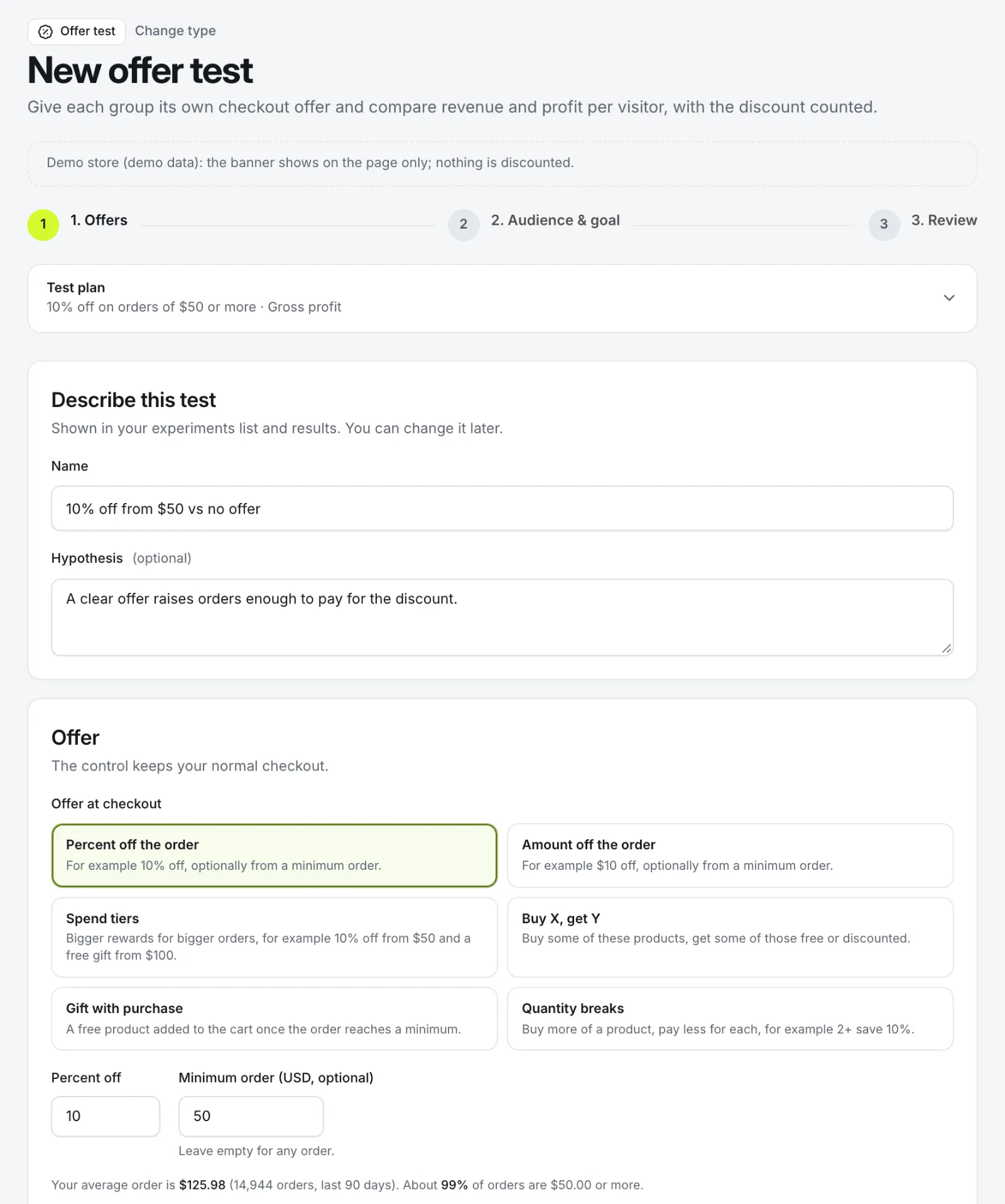
Test 10% off against $10 off, spend tiers, buy X get Y, a free gift or quantity breaks. Checkout gives each shopper their group's offer, and results subtract the discount.
Offers you can test
Up to three offers against your normal checkout. Each group sees its own banner, and Shopify checkout gives exactly that group's offer.
Percent off
1% to 90% off the order, optionally from a minimum order.
Amount off
A fixed amount off the order, optionally from a minimum order.
Spend tiers
Two to four tiers, each a bigger discount: spend $50 save 5%, spend $100 save 10%.
Buy X get Y
Buy a number of chosen products, get others at 1% to 100% off.
Free gift
One product free from a minimum order, optionally only with a qualifying product. Added to the cart once the order qualifies, taken out if it drops below.
Quantity breaks
Buy 2 or more, save 10%; 3 or more, save 15%: up to 7 breaks, per product or mix and match, shown on the product page with the price per item.
Progress bar
“Add $23.00 to unlock: Free shipping on orders of $75 or more”, counted the way checkout counts the cart.
Countdown
Counts down to the test's real end, the same moment for every shopper. No per-visitor or resetting timers, and the end can't be moved later.
Results with the discount already taken off
Revenue is what shoppers paid, so every discount is subtracted before the comparison. Work out each offer's break-even before launch; the offer test entry explains the method.
Revenue and gross profit per visitor
Whether the offer brings in more than it gives away, with an interval and a peeking-safe verdict.
Orders with the offer
How many orders used the test's discount in each group.
Discount per order
What the test's offer cost per order, next to all discounts per order.
Shipping charged per order
How the offer changed what shoppers paid for shipping.
Order value, units per order and gifts taken
Whether a quantity break or a gift changed how much shoppers bought.
| Measure | What it tells you |
|---|---|
| Revenue and gross profit per visitor | Whether the offer brings in more than it gives away, with an interval and a peeking-safe verdict. |
| Orders with the offer | How many orders used the test's discount in each group. |
| Discount per order | What the test's offer cost per order, next to all discounts per order. |
| Shipping charged per order | How the offer changed what shoppers paid for shipping. |
| Order value, units per order and gifts taken | Whether a quantity break or a gift changed how much shoppers bought. |
Good to know
- One live offer test per store at a time, so a shopper is never promised two offers of one kind.
- An order offer doesn't stack with another order discount, such as a code: Shopify gives the shopper the better one. Every group faces the same codes, so the comparison stays fair.
- Fixed amounts and minimums are set in the store currency and converted for shoppers paying in another currency, as Shopify converts its own discounts.
- Buy X get Y covers one set per order, chosen products only (no collections).
- The free gift is added by the storefront script: themes or apps that rebuild the cart elsewhere don't get it added, though checkout still gives it free if the shopper adds it. One gift unit per order.
- Quantity breaks target chosen products, not collections or single variants, and follow Shopify's rule of one product discount per item.
- A countdown's offer can still apply for up to about two minutes after it reaches zero, never less than the timer promised.
- Buy it now and accelerated checkout buttons are hidden on product pages for shoppers in the test, every group alike.
- Offer tests are new: tested on our Shopify development store, not yet run on a live store. Gifts, quantity breaks, progress bars and countdowns are tested on our demo store only.
Questions
What happens if a shopper also has a discount code?
An order offer doesn't combine with another order discount. Shopify applies the better one for the shopper, or tells them the code can't be used with their existing discounts.
Can I test no offer against an offer?
Yes. The control always keeps your normal checkout, so every test compares offers against no offer.
Does it work on every Shopify plan?
Yes. Offers run on a Shopify discount function, which public apps can use on every Shopify plan, and every Benchmyrk plan includes offer tests.
Stop guessing which offer works.
We'll go through an offer test on demo data, from the banner check to profit per visitor. Or install the Shopify app and set one up.
Book a demo