Platform
Plan, build, launch and judge every test in one place.
Benchmyrk covers the whole loop, from the idea to the decision you can explain to your team.
The loop, end to end
- 01
Plan
Ideas from AI page audits, reviewed test templates, and a sample-size plan from your own traffic before you build anything.
- 02
Build
Edit on the live page, in the Chrome extension or in the app, with AI Studio for drafts and a code editor for the rest.
- 03
Launch
Launch checks on desktop, tablet and phone, approvals tied to the approved version, scheduling, staged rollouts and guardrails.
- 04
Decide
Results judged on orders and revenue, a decision record with its evidence, and a learning library of every finished test.
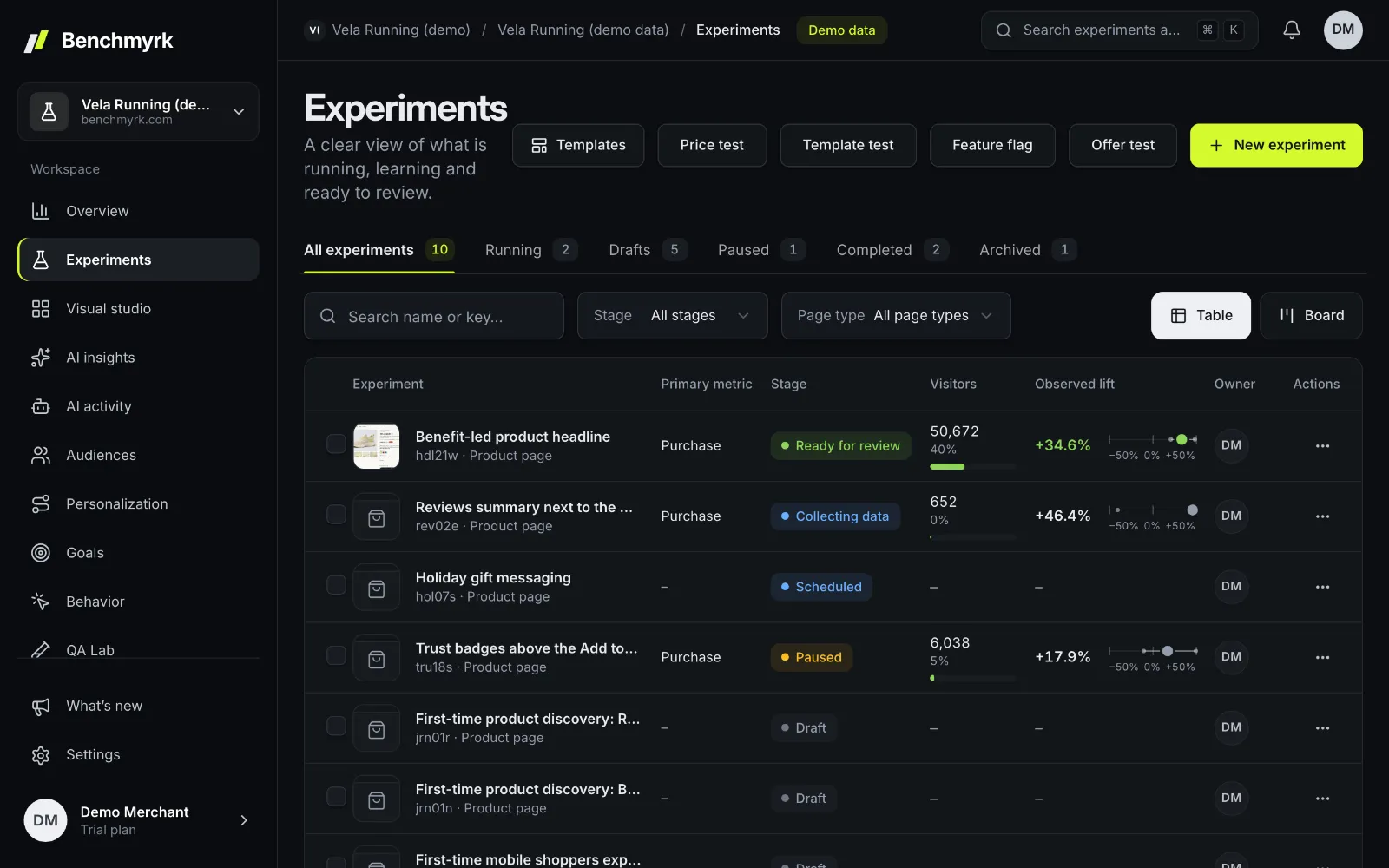
Everything in the platform
AI Studio and insights
Test ideas from your pages, variants in your brand voice, results in plain words.
Personalization
Targeting, reusable audiences, journeys and holdouts.
Analytics and replay
Store analytics, funnels, heatmaps and session replay.
Statistics
Bayesian and frequentist views, peeking-safe verdicts, CUPED and sample ratio checks.
Feature flags and server SDK
Experiments and flags from your own server.
Integrations
Shopify, any site, GA4, webhooks, MCP and the REST API.
Decisions your team can explain
A finished test ends in a decision record: the result with its interval, the secondary metrics, the decision, a written rationale and the evidence attached. It goes into the learning library, so the next test starts from what you already know.
- Every test type, from A/B to price tests, shares one visitor assignment and one set of statistics: see the test types.
- The method behind each verdict is published: the statistics.

Built for teams and agencies
Roles
Owner, admin, editor and viewer, per workspace.
Approvals
Draft reviews and launch approvals, tied to the exact version approved.
Comments
Threads on results, variants or one change, @mentions, and internal notes an agency's clients never see.
Audit log
Who changed what and when, including changes made through the API or an MCP client.
Test calendar
What's running, scheduled and next, on one calendar.
Several stores
Workspaces hold many sites, and agencies get a portfolio across client workspaces.
Good to know
- Every plan includes every feature; plans differ only in the tracked sessions they include. See pricing.
- Benchmyrk runs in its own web app. On Shopify you open it from the app's page in your admin.
- The product screenshots on this site are the real app, running on our demo store with simulated visitors and orders.
Questions
Is Benchmyrk only for Shopify?
No. Shopify is the native integration; any other site runs Benchmyrk with one script tag, and a server SDK covers experiments and flags from your own servers. Price, offer, shipping and template tests need Shopify.
Are the screenshots real?
Yes. They're the product itself, running on a demo store with simulated visitors and orders, and they're labelled Demo data.
Can an agency manage several stores?
Yes. A workspace holds many sites, and an agency portfolio shows its client workspaces together, with internal notes clients don't see.
See the whole loop on demo data.
A short call: where tests could pay off on your store, the product end to end, and your questions. Or install the Shopify app and start the free trial.