AI that drafts tests. You decide what ships.
Get test ideas from your own pages, generate variants in your brand voice, and read results in plain language.
Where AI helps
Ideas from page audits
Audit a page and get test ideas scored for impact, confidence and effort, with the evidence from the page.
A test from one sentence
Describe the change; AI drafts the hypothesis, pages, goal and variants for your team to review.
Variants in your voice
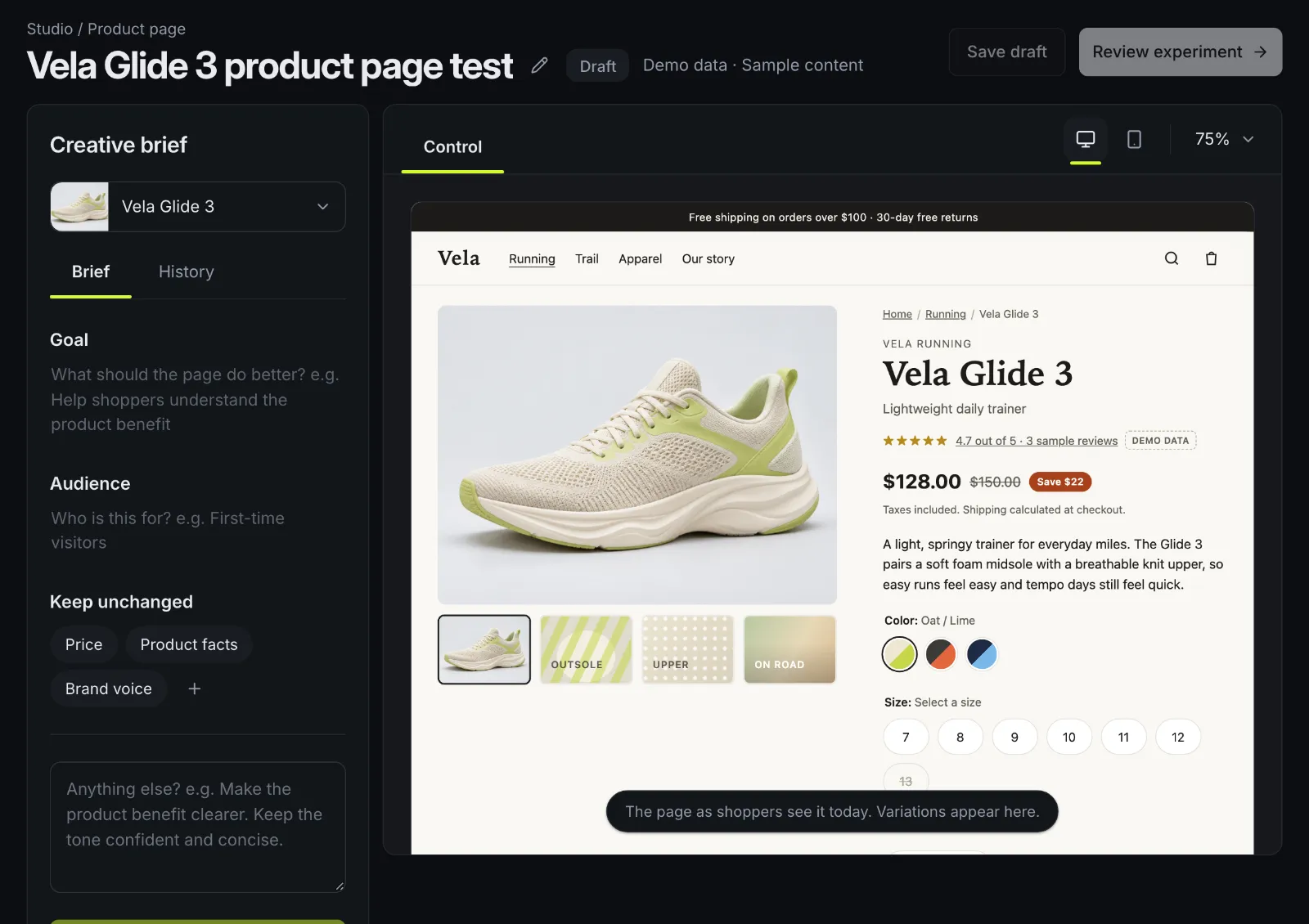
Write a brief in AI Studio and get variations of copy, style and layout on the real page.
Copy rewrites
Select text in the editor and ask for a rewrite that keeps your brand voice.
Review before launch
QA Lab and the launch checks go over a variant on desktop, tablet and phone before shoppers see it.
Results in plain words
A readout that has to agree with the statistics, and questions answered from the test's own numbers.
Ideas from your own pages
A page audit reads a store page the way a shopper sees it and adds ideas to AI insights: what to change, why it might matter and the evidence on the page. Turn an idea into a draft test in one click, or dismiss it.
- Scores for impact, confidence and effort help you pick; they're a guide, not a forecast.
- Filter ideas by page, area and device.

Guardrails on every AI request
AI output is treated as untrusted until it's checked.
No scripts, no redirects
AI changes are limited to content, style and layout edits. It never writes custom JavaScript or redirects, and the server checks every change again.
Checked against the page
Every element an AI change targets is checked against the real page before you see the suggestion.
Your brand voice and banned claims
They go into every AI request, and the output is checked again before you see it.
People launch, not AI
AI output is always a draft. Drafts can need approval before launch, and AI drafts can be turned off for the whole workspace.
Bring your own AI client
Connect Claude or another MCP client to your workspace with an API token. A read-only token reads sites, experiments, results and insights; an editing token can also draft tests, edit draft variants, ask for launch approval, and pause or resume tests.
- An MCP client can't start, approve or delete a test.
- Every change it makes is in the audit log, tagged with the token that made it.
Good to know
- Impact scores aren't calibrated predictions yet.
- AI image generation isn't offered.
- AI requests go through OpenRouter, an AI gateway, to the model provider that answers them. The privacy policy lists what is sent and how long it's kept.
Questions
Can AI launch a test by itself?
No. Everything AI produces is a draft. A person on your team reviews it and launches it, and your workspace can require an approval first.
Does Benchmyrk use my store's data to train AI models?
No. AI requests go through OpenRouter to the model provider that answers them, with only the content the request needs. The privacy policy lists what is sent and how long it's kept.
Can AI break my storefront?
AI can't write custom JavaScript or redirects, every change is checked on the server and against the page, and nothing reaches shoppers until someone launches it.
See AI Studio on a real product page.
We'll run a page audit and a brief on demo data with you. Or install the Shopify app and try it on your store.