A/B testing that runs on your real storefront.
Change copy, images, layout or styles on the live page, split traffic between versions, and see which one sells more.
From idea to decision
- 01
Pick a page
Start from a page on your store, a reviewed test template, an idea from an AI page audit, or one sentence describing the change.
- 02
Make the change
Edit on the live page, in the Chrome extension or in the app's editor. AI can draft variants that you review before anything is saved.
- 03
Choose goals and visitors
Orders, revenue, add to cart, checkout started, clicks or your own events. Target by page, device, location, traffic source and more.
- 04
Check, launch, decide
Launch checks render the variant on desktop, tablet and phone. Results show the chance to beat control and a 95% interval for every goal.
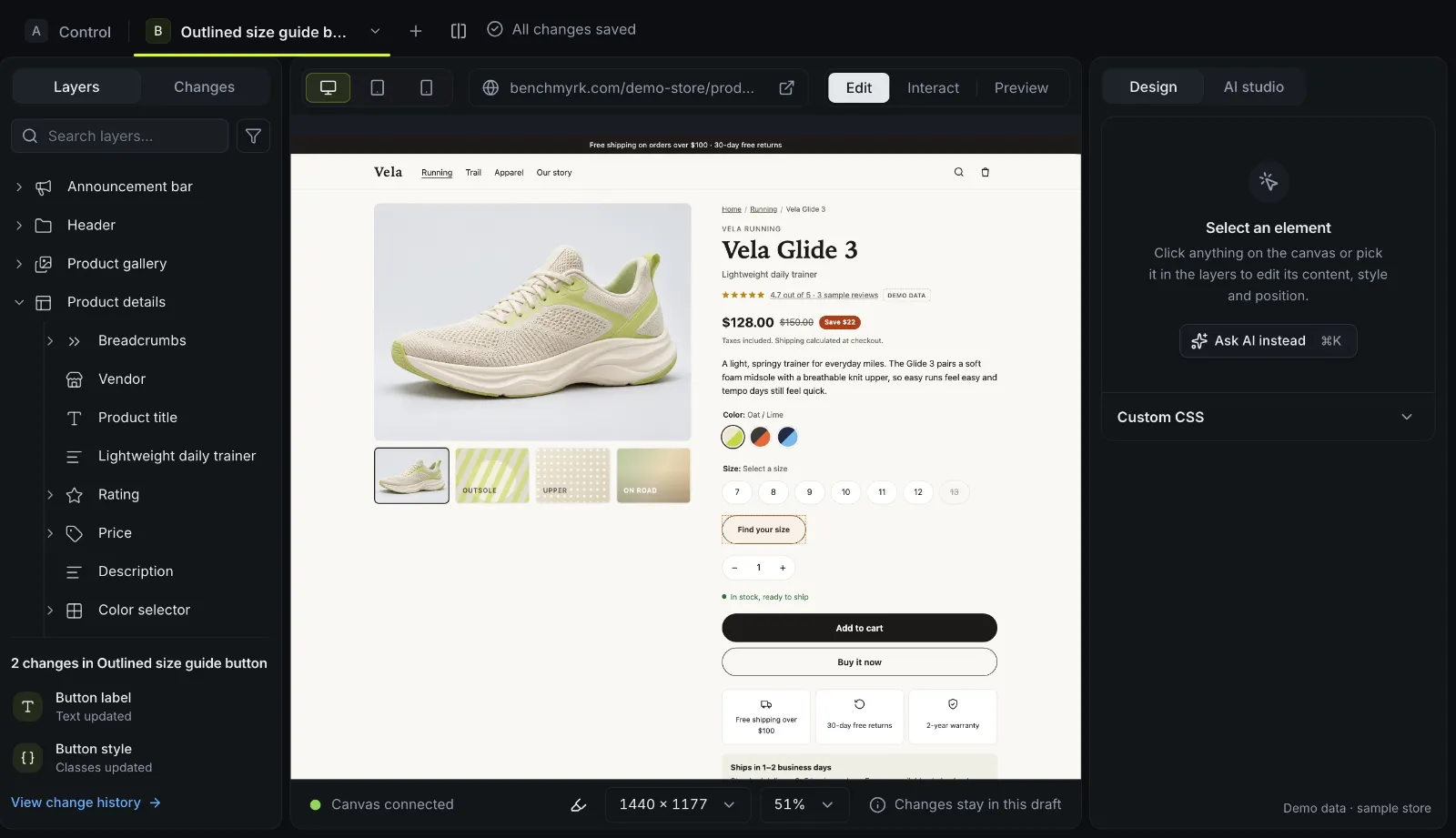
Four ways to make the change
On the live page
Edit your store in place, with nothing to install: text, images and styles, and blocks you insert, move, duplicate, hide or remove.
Chrome extension
The editor in a side panel next to your live tab. It asks for access one site at a time and runs no remote code. Ask us for access.
In the app
Desktop, tablet and phone frames, a layers panel, undo and redo, and preview links for your team.
Code editor
CSS and HTML for the whole variant. Custom JavaScript only when your workspace allows it.
Results judged on orders and revenue
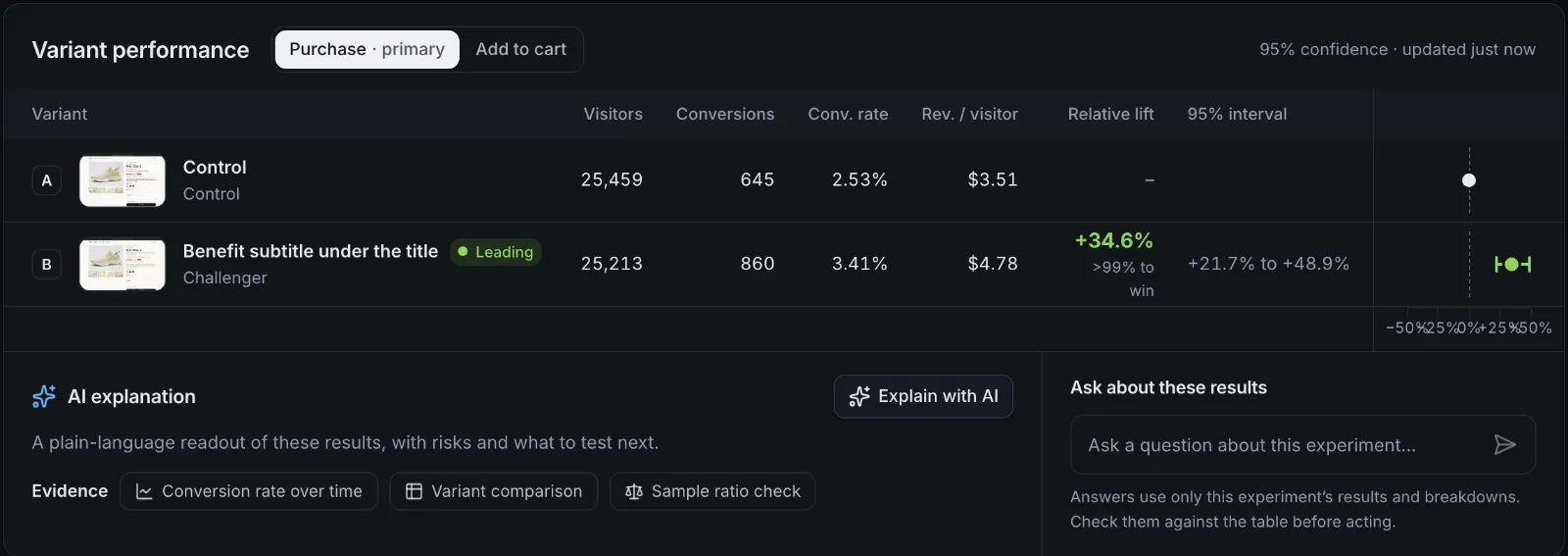
Each goal shows conversions, revenue per visitor, the relative lift and its 95% interval. Until the planned sample size is reached, a winner is called only on an always-valid p-value, so looking early doesn't create false winners.
- Test several challengers at once: the comparisons are Holm-corrected, so more variants don't mean more false winners.
- A sample ratio check flags a broken traffic split before you trust a result.
- Results by device, new or returning visitors, traffic source and country, marked exploratory.
- The method, step by step: how results are judged.
Nothing goes live by accident
The checks a team needs before real shoppers see a change.
Preview links
Signed links that show any variant on your store. Preview visits are never counted.
Launch checks
The variant is rendered on desktop, tablet and phone, and problems are listed before you start.
Approvals
Ask for review before launch. An approval belongs to the exact version that was approved.
Scheduling
Start and end on a date, for campaigns that begin while you're away.
Staged rollout
Ship the winner to a growing share of traffic, with guardrails watching each step.
Guardrails
Pick a metric that must not get worse; when it does, Benchmyrk alerts you or pauses the test.
Good to know
- While bc.js decides, it hides only the elements a test changes, for a capped time. We checked this frame by frame in a real browser.
- On Shopify the app embed writes the test settings into the page, so no extra request is needed before a variant applies.
- Visitors who haven't allowed analytics see the original page and aren't counted.
- Single-page storefronts are supported.
- Checked on our own Shopify development store: a 50/50 split, with a test order credited once to the variant it saw.
Questions
Will shoppers see the original page before the variant?
bc.js hides only the elements a test changes until the variant is applied, for a capped time, and shows the original when consent or the targeting says the visitor isn't in the test. On Shopify the test settings are part of the page, so no extra request comes first.
How long should a test run?
Until it reaches the sample size planned at setup, and at least one full week so every weekday is in it. Benchmyrk doesn't call a result before 7 days, 100 visitors per variant and 5 converting visitors per variant.
Can I test more than one challenger?
Yes. Each variant is compared with the control, and the comparisons are Holm-corrected so that adding variants doesn't raise the chance of a false winner.
Do preview visits count in the results?
No. Preview links are signed, and preview visits are never counted.
See an A/B test on your store.
We'll walk through the editor and the results on demo data and answer your questions. Or install the Shopify app and start the free trial.